
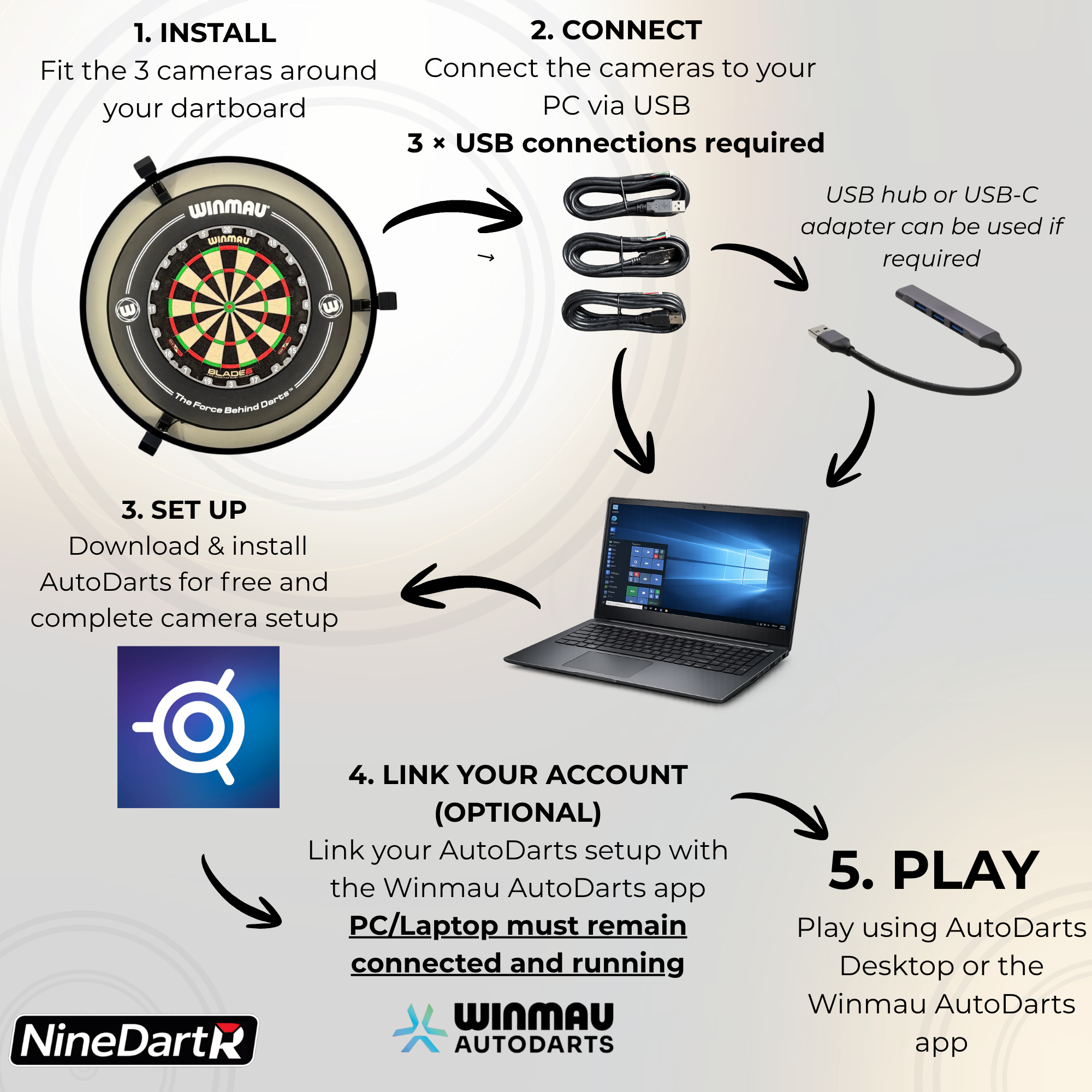
What You'll Need
- NineDartR camera mounts or full kit
- 3 compatible USB cameras – included with camera kit options
- Compatible PC or laptop
- USB connections – either directly to your computer or through a suitable USB hub
- AutoDarts account – free to create
- AutoDarts software – free to download
PC or Laptop Requirements
A compatible PC or laptop is required to run the AutoDarts camera system and must remain switched on and connected while you play.
Computer requirements can vary depending on the cameras being used and future AutoDarts software updates, so we recommend checking the latest AutoDarts system requirements before purchasing if you're unsure whether your computer is suitable.
Check AutoDarts System Requirements →
AutoDarts Account & Software
You'll need to create an AutoDarts account and install the AutoDarts software on your computer. Free and paid membership options are available, so you can get started without needing a paid membership and choose additional features if required.
Once your cameras are connected, AutoDarts guides you through configuring the cameras and calibrating your dartboard ready for automatic scoring.
Winmau AutoDarts App
Your AutoDarts setup can also be linked with the Winmau AutoDarts app if you prefer to use the Winmau interface.
Your PC or laptop still needs to remain switched on and connected while the camera system is being used.
Already Have Your NineDartR Kit?
Already got your kit? Our step-by-step guides cover everything from mounting and camera positioning to connecting your cameras and getting AutoDarts up and running.
Hole Marking Guide →
Mount Installation & Setup Guide →
Connection and Setup Guide →
NineDartR produces compatible mounting hardware for use with third-party systems. NineDartR is independent and is not affiliated with or endorsed by AutoDarts or Winmau.